Home

Viewing
JPEG & GIF Images

Introduction
Camera Work
Group f/64
Reference Materials
The Zone System
the Ansco Memo

making a
Photograph
Image Management
Sharpness
Negative Size
Field of View & Focal Length
Depth of Field & Diffraction

FILM
Response to Light
Finding Film Speed
Making a Choice
Exposing
SEI Exposure Photometer
Developing
PMK Pyro
Rodinal
History & Credits
Slitter for the Minox.
and for 120 Rollfilm
living with Roll Film

about the PRINT
Digital Negatives

Digital Imaging
what are Pixels
Binary Arithmetic
Color and Grayscale Codes

the Scanner.
Density Range
Negative or Print?
Color or B&W?

Manipulation
Adjusting Tonal Range

the Minox
Using a Minox
Loading & UnLoading
Setting Film & Shutter Speeds
Negative Enlargeability
Slitting & Loading Film
Film Developing Tank
Equipment, Supplies, Service, Processing
References & Galleries

the Gallery

Links

Other Passions

Copyright Notice

Adjusting Tonality

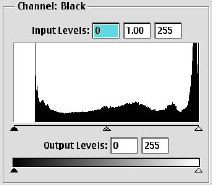
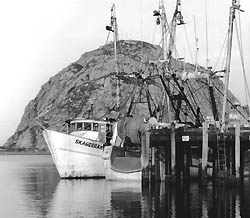
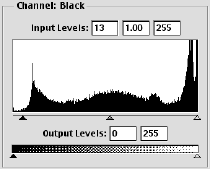
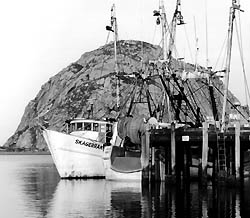
Applying "Adjust Levels, even using "Auto", corresponds to the traditional darkroom task of finding the proper paper grade or variable contrast filter setting to properly include both low and high values.

No black

Full tonal range, blocked low values

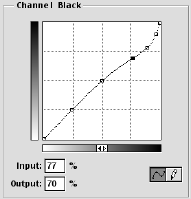
Somewhat more difficult is the traditional process of finding a paper which has the proper "response curve", long or short toe, etc.. Adjusting the shape of the response curve is done by the manufacturer by changing the formulation of the paper emulsion. The photographer has very little control over this characteristic and must experiment with different paper / developer combinations. A similar result is accomplished here with Photoshop. and the "Adjust Curve" tool, or the "slider" control of the "Adjust Levels" tool.

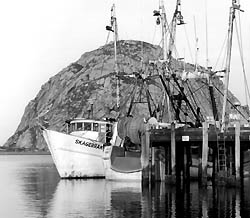
Increased low value separation.