|
Image Manipulation
within the Computer
To illustrate the potential of the computer in
image manipulation, I have chosen, from Photoshop,
three basic functions; Invert, Adjust Levels, and
Unsharp Mask.
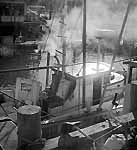
A Fuji HS-U negative was exposed with a Minox
LX, using "auto" mode and a setting of ASA 25. The
film was developed with PMK Pyro developer which,
with this film, produced a very thin "stained"
negative which contained all of the detail from
deepest shadows to full texture in the brilliant
sunlight reflecting from the wet top of the
wheelhouse. The negative image is a 2700ppi scan of
the Minox frame with some cropping of irrelevant
skyline at the top.
|
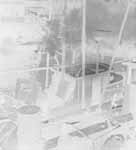
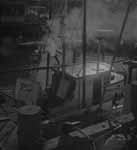
The negative was scanned as a negative
(left) and converted to a positive image
with a single "Invert" keystroke in
Photoshop.
To a computer, positive and negative
images are inverted by simple arithmetic
performed on each pixel - essentially
subtracting 255 from each value and
eliminating any minus signs.
|
|
|
|
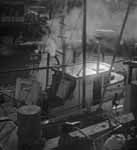
The leftmost image resulted from
applying "Adjust Levels - Auto" and
corresponds to the traditional darkroom
task of finding the proper paper grade or
variable contrast filter setting to
encompass both low and high values
properly.
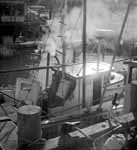
The rightmost image represents a
somewhat more difficult traditional
process - finding a paper which has the
proper "response curve", long or short
toe, etc.. Adjusting the shape of the
response curve is done by the manufacturer
by changing the formulation of the paper
emulsion. The photographer has very little
control over this characteristic and must
experiment with different paper /
developer combinations to achieve what is
accomplished here with a "slider" control
in Photoshop.
|
|
|
|
This is the same image (file) as # 4
above it except for the application of
"Unsharp Mask". The scanning process
generally introduces some softening (seen
in the images above) which can be
corrected with either Sharpen Edges or
Unsharp Mask, but care must be taken not
to over sharpen.
As with the Adjust Levels controls,
Unsharp Mask provides so many options that
finding the proper one is a non-trivial
exercise. What looks good on the computer
monitor may not be optimal for your
printer or film recorder, indeed some
"over sharpening" is often in order when
preparing files for output devices.
The application of the very
sophisticated controls IS a creative
artform which can surely test the
photographer's vision and skill.
|
|
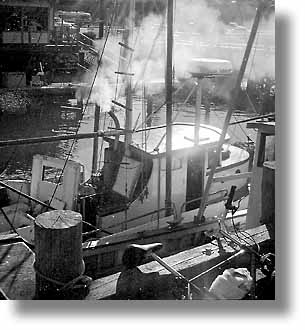
No attempt has been made here to "finish"
the print. It is now time to get out the dodging
and burning tools (available in Photoshop) and/or
the potassium ferricyanide (which is not).
 Oh, well, maybe
just a bit of fiddling around Oh, well, maybe
just a bit of fiddling around
|