Home

Viewing
JPEG & GIF Images

Introduction
Camera Work
Group f/64
Reference Materials
The Zone System
the Ansco Memo

making a
Photograph
Image Management
Sharpness
Negative Size
Field of View & Focal Length
Depth of Field & Diffraction

FILM
Response to Light
Finding Film Speed
Making a Choice
Exposing
SEI Exposure Photometer
Developing
PMK Pyro
Rodinal
History & Credits
Slitter for the Minox.
and for 120 Rollfilm
living with Roll Film

about the PRINT
Digital Negatives

Digital Imaging
what are Pixels
Binary Arithmetic
Color and Grayscale Codes

the Scanner.
Density Range
Negative or Print?
Color or B&W?

Manipulation
Adjusting Tonal Range

the Minox
Using a Minox
Loading & UnLoading
Setting Film & Shutter Speeds
Negative Enlargeability
Slitting & Loading Film
Film Developing Tank
Equipment, Supplies, Service, Processing
References & Galleries

the Gallery

Links

Other Passions

Copyright Notice

a bit about Scanning in Color or B&W (Grayscale)

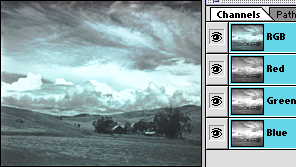
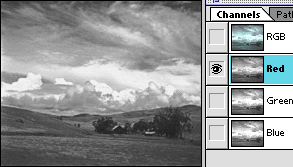
Advice is often given to scan grayscale images in color mode, the argument being that more subtile control over highlights and shadow detail is possible. There is certainly a difference in the density patterns of the different channels of a color scan, one may even be more "noisy" than the others (which I do not see with MY scanner), or more dense (which I do). It is the object of this presentation merely to note that each scanner has a "personality" which may be more comfortable with color, grayscale, both, or neither.

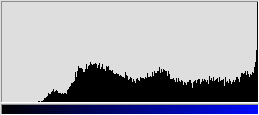
The print used in the discussion of scan density range was scanned in "Sharp Millions of Colors" and "Sharp Black and White Photo" modes. It is a print made by exposing Ilford Multigrade FB paper with a Kodak Step Wedge. In this example, only the exposure made with 120cc yellow light (VERY soft paper setting) was used to extend the measurable range as much as possible.

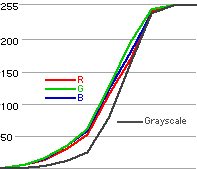
Although the color scan produced noticeably less "D-Max" (a Photoshop value of 19 as opposed to 2 for the grayscale), the full range can be restored within Photoshop, indeed could have been achieved with a slight pre-scan adjustment.

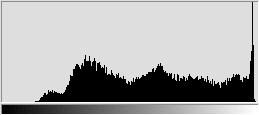
There is a significant difference between the color and grayscale scans, not in quality, but in the shape of the curve. No pre-scan adjustments were made for either scan, leaving open the opportunity for adjusting either to match the other.


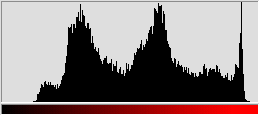
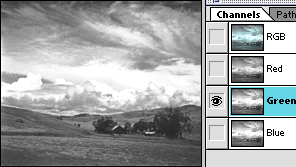
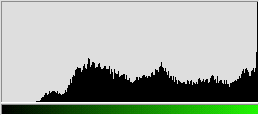
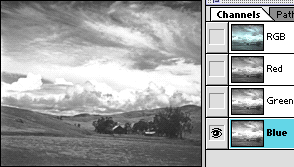
Although the red, green, and blue curves appear similar in this example, the illustrations below might lead one to question the similarity.